

Microsoft 365 Business Basic vs. Standard vs. Premium: Which Tier Does Your Business Actually Need?
Cloud Productivity, Licensing Optimization, IT Security
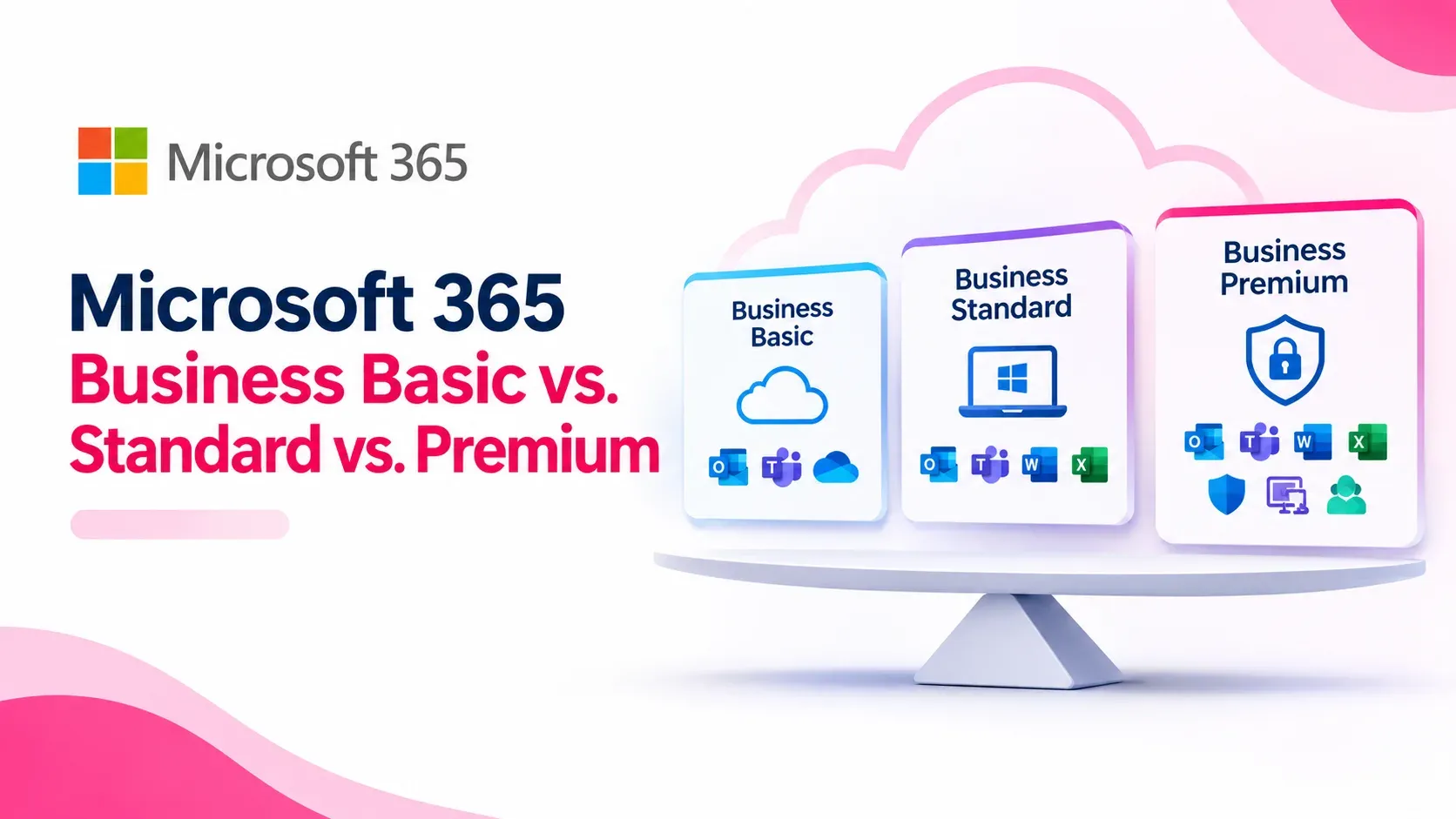
Key Project Outcomes & Proven Impact
Jump to section
Compare Microsoft 365 Business Basic, Standard, and Premium to find the right fit for your organization. Discover the key differences in desktop apps, advanced security, Intune device management, and how a hybrid tier strategy can slash your annual licensing costs.
Choosing the wrong Microsoft 365 tier is one of the most common drivers of enterprise SaaS overspend. IT decision-makers and procurement leads often make one of two costly mistakes: putting every employee on the expensive premium tier "just in case," or locking the entire workforce into the cheapest tier, only to purchase disjointed third-party antivirus, device management, and email security add-ons later.
Microsoft 365's SMB lineup—capped at 300 users per tenant—is split into three core commercial editions: Business Basic, Business Standard, and Business Premium.
Understanding where the lines are drawn between cloud apps, desktop binaries, and enterprise endpoint security is crucial to building an optimized, cost-efficient licensing architecture.
The Core Breakdown: Side-by-Side Comparison
While all three plans share a common foundation—Exchange business email, Microsoft Teams, SharePoint Online, and 1 TB of cloud storage per user—they address radically different operational workflows.
| Feature / Capability | Business Basic | Business Standard | Business Premium |
|---|---|---|---|
| Exchange Online Mailbox | 50 GB primary | 50 GB primary | 50 GB + 1.5 TB Auto-Expanding Archive |
| Cloud Storage (OneDrive & SharePoint) | 1 TB per user | 1 TB per user | 1 TB per user |
| Web & Mobile Office Apps | Included | Included | Included |
| Desktop Office Apps (Word, Excel, PPT) | No | Yes (5 PCs/Macs per user) | Yes (5 PCs/Macs per user) |
| Teams Webinars & Attendee Registration | No | Included | Included |
| Microsoft Defender for Business (EDR) | No | No | Included (Enterprise-grade EDR) |
| Microsoft Intune (MDM / MAM) | No | No | Included |
| Microsoft Entra ID P1 (Conditional Access) | No | No | Included |
| Information Protection & DLP | No | Basic | Included (Sensitivity Labels & DLP) |
| Windows 11 Pro Upgrade Rights | No | No | Included |
Tier 1: Microsoft 365 Business Basic (The Browser & Mobile Workforce)
Microsoft 365 Business Basic is designed for frontline, deskless, or field workers who do not require native, locally installed desktop software.
What You Get:
- Cloud-First Office: Full access to web and mobile versions of Outlook, Word, Excel, PowerPoint, and OneNote.
- Enterprise Communications: Exchange Online business email on your custom domain, shared calendars, and Microsoft Teams meetings.
- Storage & Intranet: 1 TB of individual OneDrive cloud storage plus shared SharePoint team libraries.
Limitations to Consider:
- No Desktop Clients: Users cannot install Word, Excel, or desktop Outlook directly on their PCs or Macs.
- Heavy File Constraints: Web-based Excel does not support legacy VBA macros, complex power-pivot queries, or specialized COM add-ins.
- Basic Security Baseline: Includes standard anti-spam and anti-malware (Exchange Online Protection), but lacks endpoint detection or automated device compliance rules.
Best Suited For: Warehouse staff, retail personnel, site engineers, shift operators, or external consultants who only need corporate email and browser-based document viewing.
Tier 2: Microsoft 365 Business Standard (The Core Productivity Engine)
Business Standard is the traditional baseline for knowledge workers, finance staff, and operations managers who rely heavily on rich desktop tools and multi-screen productivity.
What You Get:
- Everything in Business Basic, plus fully installed desktop Office suites for up to 5 PCs or Macs, 5 tablets, and 5 mobile devices per user.
- Advanced Collaboration Tools: Microsoft Teams webinar capabilities (live event hosting with attendee registration and reporting) and Microsoft Bookings for scheduling.
- Advanced Desktop Features: Complete desktop Excel execution with VBA support, Access (PC only), and local Outlook cache management.
The Core Vulnerability:
While Business Standard solves software usability, it does not address device security or compliance. If a user downloads sensitive customer lists to an unmanaged personal laptop or opens a spear-phishing payload, Business Standard offers no native endpoint isolation, wipe capabilities, or Conditional Access controls.
Best Suited For: Back-office staff, accountants, analysts, and marketing personnel operating entirely from company-controlled physical offices where separate network perimeters or third-party security agents are already in place.
Tier 3: Microsoft 365 Business Premium (The Modern Zero-Trust Standard)
Business Premium is not simply an "Office suite"; it is an integrated cybersecurity and device management platform. For modern organizations supporting hybrid or remote workers, it eliminates the need for expensive third-party security point solutions.
Key Enterprise Security Components Included:
- Microsoft Intune (MDM & MAM): Centralized mobile device management and mobile application management. Push software updates, enforce device encryption (BitLocker), and remotely wipe corporate data from lost or stolen laptops and phones without touching personal data.
- Microsoft Defender for Business: Enterprise-grade Endpoint Detection and Response (EDR). It goes beyond traditional signature-based antivirus by using behavioral heuristic detection to stop ransomware attacks in real time.
- Microsoft Entra ID P1 (Conditional Access): Implement dynamic security policies based on context. Block logins originating from untrusted countries, enforce Multi-Factor Authentication (MFA) on personal devices, or require compliant corporate-managed hardware before granting access.
- Data Loss Prevention (DLP) & Azure Information Protection: Prevent accidental or malicious leaks of sensitive data (credit cards, national IDs, proprietary spreadsheets) via email, Teams, or external cloud shares.
- Auto-Expanding Archiving: 1.5 TB of compliance-ready cloud archiving with legal holds and litigation retention.
Best Suited For: Remote and hybrid workforces, executives, HR and finance departments, legal teams, and any organization operating under strict compliance mandates (such as SAMA, CBUAE, or ISO 27001).
The Hybrid Topology: The Smart IT Strategy
Organizations are often misled into believing that a single license tier must be purchased for every user across the company. Microsoft allows you to mix and match license tiers within the same corporate tenant.
Sample 100-User Hybrid Topology:
- 30 Field & Deskless Workers: Placed on Business Basic for cloud email and Teams.
- 45 Office Knowledge Workers: Placed on Business Standard for high-performance desktop Office suites.
- 25 Executives, HR, Finance & IT Leads: Placed on Business Premium for Conditional Access, data loss prevention, and full device compliance.
Crucial Compliance Rule: When designing a hybrid topology, remember that Microsoft licensing policies state that every user who benefits from a conditional security control (e.g., Entra ID Conditional Access policies or automated sensitivity tagging) must be assigned a license that covers that capability. Consult an authorized CSP partner to structure your user groups correctly without creating licensing compliance drift.
Decision Matrix: Which Tier Should You Choose?
- Select Business Basic if: Your staff primarily performs communication, ticketing, logistics updates, or administrative tasks entirely inside a web browser on shared or mobile terminals.
- Select Business Standard if: Your team requires local desktop Outlook and advanced Excel functionality, and you manage security entirely through existing third-party enterprise licenses.
- Select Business Premium if: You want to consolidate vendor costs, secure remote and mobile devices with Intune, defend against zero-day ransomware, and enforce strict Zero-Trust access controls without paying for Enterprise E5 tiers.
Frequently Asked Questions
Clear answers to common questions about this guide and implementation.
Yes. Microsoft allows organizations to assign different tiers to individual users within the same tenant, enabling you to optimize IT budgets based on job functions.
Related Articles
More in Microsoft 365
Microsoft 365 CSP vs. Direct Microsoft Billing: How Buying via an Authorized Partner Saves Costs in the GCC
Friday Nov 6, 2026
Compare Microsoft 365 CSP billing with direct Microsoft web-direct purchases. Discover how GCC enterprises save on FX fees, reclaim local VAT, unlock NCE seat flexibility, and receive localized Tier-1 support through an authorized partner.

Cloud vs On-Premise Software: Which Is Better for Your Business in 2026?
Thursday Nov 5, 2026
Choosing between cloud and on-premise software? Understand the differences in cost, security, scalability, maintenance and accessibility to find the right technology solution for your business.

Business Starter Kit: Essential Software Every New Business Needs in 2026
Thursday Nov 5, 2026
Starting a business in 2026? Discover the essential software, accounting, CRM, cybersecurity and productivity tools every new business needs to operate efficiently and grow.


