

Odoo ERP Modules Explained: Sales, Inventory, Accounting and More
Odoo ERP modules explained: what Sales, CRM, Inventory, Purchase, Accounting, Manufacturing and other Odoo apps do, how they work together, and which modules to start with
Jump to section
Odoo ERP modules are separate apps for sales, inventory, purchasing, accounting and manufacturing that share one database. Learn what each module does, who it suits, how plans work and which modules to start with.
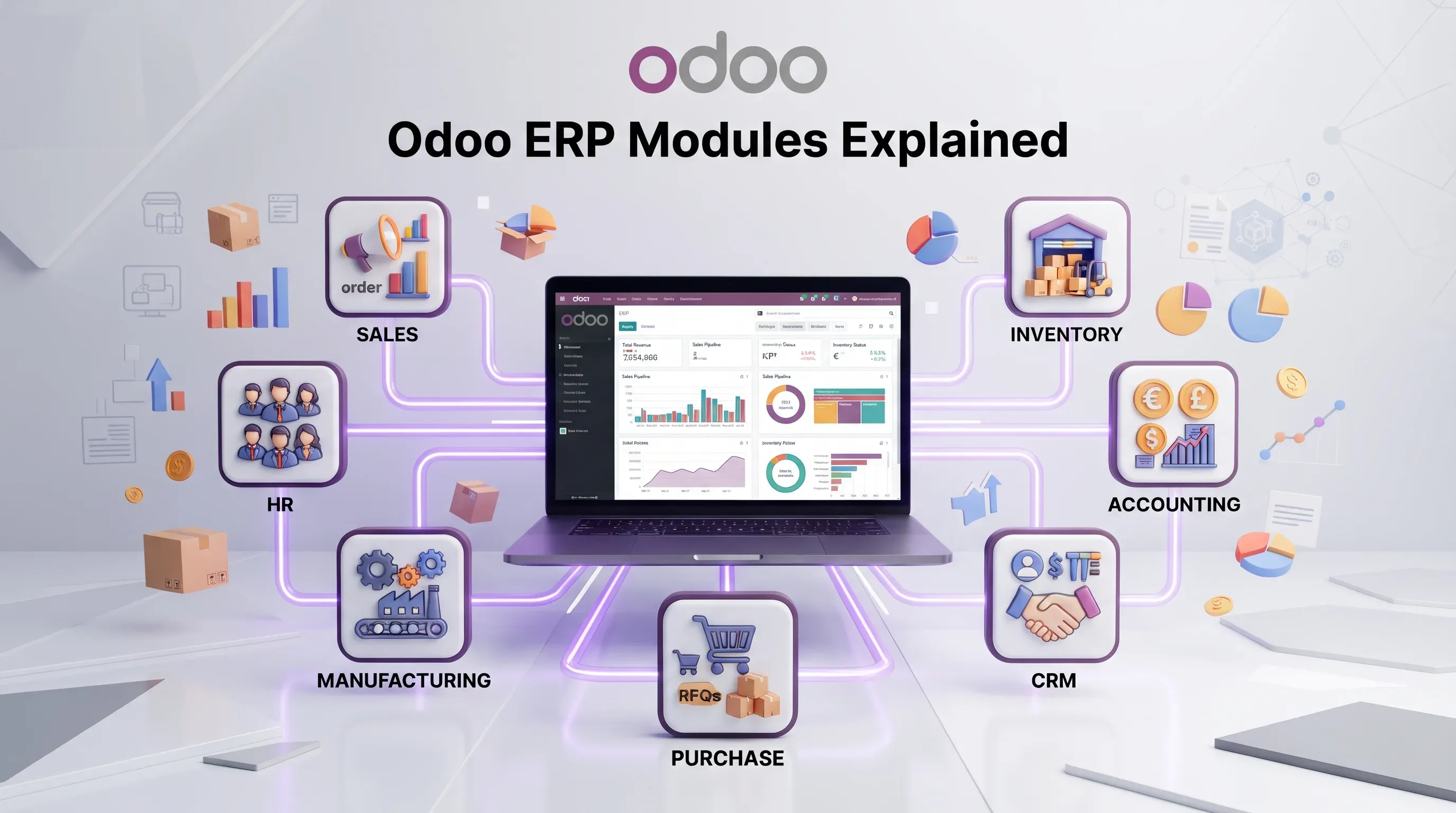
Running a growing business on spreadsheets, a billing tool and a separate stock app works until the numbers stop matching. That is the problem Odoo ERP modules are built to solve. Odoo calls its modules "apps": Sales, Inventory, Accounting, Purchase, Manufacturing and more. Each app handles one job, but all of them share one database, so a quotation can become a delivery and an invoice without anyone retyping it. You install only what you need and add more later.
This guide explains what each core module does, who it suits, who it does not suit, and how to choose where to start.
Key takeaways
- Odoo ERP modules are separate apps (Sales, CRM, Inventory, Purchase, Accounting, Manufacturing and others) that share one set of data.
- Start with the two to four modules that fix your biggest pain point, then expand in phases.
- As of November 2026, Odoo's plans are One App Free, Standard and Custom, priced per user. Check https://www.odoo.com/pricing for current rates in your country.
- Odoo Studio, multi-company databases and external API access require the Custom plan.
- Implementation, training and data migration are separate from licence cost, so budget for them.
What Are Odoo ERP Modules?
An ERP (enterprise resource planning) system keeps sales, stock, purchasing and finance in one place instead of in disconnected tools. In Odoo, each business area is an app. Odoo's website groups them under headings such as Finance, Sales, Supply Chain, Human Resources, Marketing and Services, and in everyday use people say "modules" and "apps" interchangeably.
The current version is Odoo 20, which Odoo's own release notes date to September 2026 (https://www.odoo.com/odoo-20-release-notes). Odoo also sells two editions of the software. Community is open source and free to self-host. Enterprise is the licensed edition that powers Odoo's paid plans and includes more apps, including the full Accounting app.
The Core Odoo ERP Modules and What They Do
Sales
Odoo Sales covers quotations, sales orders and invoicing from orders. According to Odoo's feature pages, you can send a quote, convert it to a sales order and create the invoice from the same screen. Customers can accept quotes online with an electronic signature and pay online. Invoicing can follow ordered quantities, delivered quantities, time and materials, or project milestones. Pricelists, promotions, coupons and loyalty programmes are included.
Details: https://www.odoo.com/en_US/app/sales-features
Not for: businesses that only sell over a counter and never quote. A Point of Sale setup may fit better.
CRM
The CRM app manages leads and the sales pipeline. Odoo describes AI-powered lead scoring that helps a team focus on promising leads. It connects to Sales, so a won opportunity becomes a quotation.
Not for: a one-person business with a short customer list. A spreadsheet may be enough for now.
Inventory
Inventory tracks stock across warehouses and locations. Odoo's feature page lists putaway rules, routes, barcode scanning (GS1, EAN13 and EAN14 supported out of the box) and a stock ageing report. Reordering rules use minimum and maximum levels to trigger purchases, inter-warehouse transfers or manufacturing orders. When connected to Accounting, stock valuation entries are posted automatically.
Details: https://odoo.com/app/inventory-features
Not for: pure service businesses with no physical stock.
Purchase
Purchase manages requests for quotation, purchase orders and supplier information. When reordering rules fire, Odoo can create the requests for quotation for you. Odoo's accounting page says supplier bills are proposed automatically from purchase orders or incoming shipments, which reduces re-keying.
Accounting
Accounting is where the other modules end up. Odoo's documentation describes double-entry bookkeeping, with journal entries created automatically from invoices, bills, point-of-sale orders, expenses and stock valuation. The feature page lists bank synchronisation, a smart reconciliation tool, multi-currency support with daily exchange-rate updates, analytic accounting, budgets, fixed assets and deferred revenue. Fiscal localisation packages pre-configure taxes, charts of accounts and legal reports for supported countries.
Details: https://www.odoo.com/app/accounting-features
The Community edition includes the simpler Invoicing app, while full Accounting belongs to Enterprise. Confirm this for your version before you plan around it.
Not for: companies with unusual statutory reporting. Ask your accountant to check that your country's localisation package covers your needs before you commit.
Manufacturing
Manufacturing handles bills of materials (including multi-level ones), manufacturing orders, work orders and work centres. Odoo's page also lists a master production schedule, capacity planning and a Shop Floor app for tablets. Quality checks, PLM (product lifecycle management) and Maintenance are separate apps that connect to it. The Purchase app can generate requests for quotation for components that run low, based on the bill of materials.
Details: https://www.odoo.com/app/manufacturing
Not for: trading and service companies, or very small workshops that only do simple assembly and may find a full production module heavy.
Point of Sale, Website and eCommerce
Odoo lists POS Shop and POS Restaurant under Sales, and Website Builder and eCommerce under Websites. These feed the same product, stock and invoice data as the other apps, which avoids running a separate till or webshop that needs manual syncing.
Project, HR, Helpdesk and More
Odoo also covers Project, Timesheets, Helpdesk and Field Service, plus HR apps such as Employees, Recruitment, Time Off and Appraisals, and Marketing apps such as Email Marketing and Events. Most small and mid-size companies add these after their sales, stock and accounting processes are stable.
How Odoo ERP Modules Work Together
The value of an ERP is the handoff between modules. Here is a typical order flow based on how Odoo's documentation describes the apps:
- A salesperson builds a quotation in Sales and checks product availability from the quotation.
- When the customer confirms, Odoo can trigger the delivery order in Inventory.
- The invoice is created from the sales order or the delivery, depending on your invoicing policy.
- If stock falls below the minimum, a reordering rule creates a request for quotation in Purchase.
- The supplier bill is proposed from the purchase order or receipt, and stock valuation entries reach Accounting.
This saves retyping, but it does not fix bad data. Products, taxes, units of measure and warehouse settings must be configured correctly first. Most failed ERP projects start with messy master data, not missing features.
Which Odoo Modules Should You Start With?
Match modules to how you earn money:
- Trading, retail and wholesale: Sales, Inventory, Purchase and Accounting.
- Manufacturers: the same four plus Manufacturing, and Quality if you run inspections.
- Service firms: CRM, Sales, Project, Timesheets and Accounting.
- Single-location shops: Point of Sale with Inventory.
Resist switching everything on at once. Go live with one process, let the team use it for a few weeks, then add the next module. Each added module is more to configure, test and train people on.
Odoo Plans, Editions and Costs
As of November 2026, Odoo's pricing page lists three plans. Check https://www.odoo.com/pricing for current prices, because they vary by country and billing period.
- One App Free: one app with unlimited users, hosted on Odoo Online. Installing a second app moves you to a paid plan.
- Standard: all apps on Odoo Online, priced per user per month. It does not support custom modules.
- Custom: everything in Standard plus Odoo Studio, multi-company databases and the external API. It can be hosted on Odoo Online, Odoo.sh or on your own servers. Odoo.sh hosting costs extra.
Odoo says a paying user is usually an employee with backend access. Customers and suppliers using the portal are not paying users. The pricing page also lists items not included in plans: implementation services, maintenance of custom code and in-app purchase credits such as SMS and AI scanning of vendor bills.
For implementation, Odoo says small companies (under 50 employees) usually work directly with Odoo using Success Packs, while mid-size companies usually work with a local partner. For wider budgeting, see our guide to business software subscription pricing and our comparison of cloud and on-premise software.
Pros and Cons of Odoo for Small and Mid-Size Businesses
Pros
- One database for sales, stock, purchasing and finance reduces duplicate entry.
- You can start small and add modules as the business grows.
- On the Standard plan the price is per user, not per app, so adding modules does not add a per-app fee.
- The range is wide, from accounting to manufacturing to eCommerce.
Cons
- Setup takes real effort, and complex workflows usually need professional configuration.
- Per-user fees grow with headcount, and the Custom plan costs more per user than Standard.
- Customisation can complicate upgrades, and Odoo does not include maintenance of custom code.
- Extras such as implementation, Odoo.sh hosting and in-app purchase credits sit outside the licence fee.
Who Odoo Is Not For
Odoo is probably the wrong choice if you only need one narrow tool, such as simple cloud bookkeeping. In that case a dedicated accounting product may be quicker to adopt. See our Zoho Books comparison. It is also a poor fit when nobody in the company can own the project, because ERP rollouts need a decision-maker who understands your processes. If you are choosing between Odoo and a suite of connected apps, read Odoo vs Zoho One.
Our Recommendation
For most small and mid-size businesses that sell products, start on the Standard plan with Sales, Inventory, Purchase and Accounting. Move to Custom only if you need Studio, multi-company or API access. Manufacturers should document their bills of materials and work centres before configuring anything. Before you pay, run a trial with a sample of real products and customers, and have your accountant review the tax and chart-of-accounts setup.
Conclusion
Odoo ERP modules work best when you choose them around your actual workflow instead of the longest feature list. Pick a small starting set, confirm the plan and edition on Odoo's official pages, and plan for implementation and training. If you want help shortlisting modules or comparing Odoo with other options, contact TechnoStore360 and tell us how your team sells, stocks and invoices today.
Frequently Asked Questions
Clear answers to common questions about this guide and implementation.
The core Odoo modules most small and mid-size companies use are Sales, CRM, Inventory, Purchase, Accounting and, for producers, Manufacturing. Odoo also offers apps for Point of Sale, Website and eCommerce, Project, Timesheets, Helpdesk and HR. Because they share one database, data entered in one app is available in the others.
About the author
Nihala Nizar
Blog Creator
blog writer who transforms ideas and experiences into engaging, meaningful stories. Dedicated to creating well-written content that informs, inspires, and connects with readers
Related Articles
More in Odoo ERP
Odoo vs Zoho One: Which Business Software Offers Better Value?
Monday Nov 16, 2026
Compare Odoo vs Zoho One to discover their features, pricing, benefits and differences. Find out which business software is best for managing accounting, sales, inventory and daily operations while supporting your business growth.
How Much Does Business Software Cost? A Guide to Subscription Pricing
Wednesday Nov 18, 2026
How much does business software cost? Compare 2026 per-user prices for Microsoft 365, Google Workspace, Zoho One and Odoo, plus hidden costs and a simple budget example.

Cloud vs On-Premise Software: Which Is Better for Your Business in 2026?
Thursday Nov 5, 2026
Choosing between cloud and on-premise software? Understand the differences in cost, security, scalability, maintenance and accessibility to find the right technology solution for your business.


