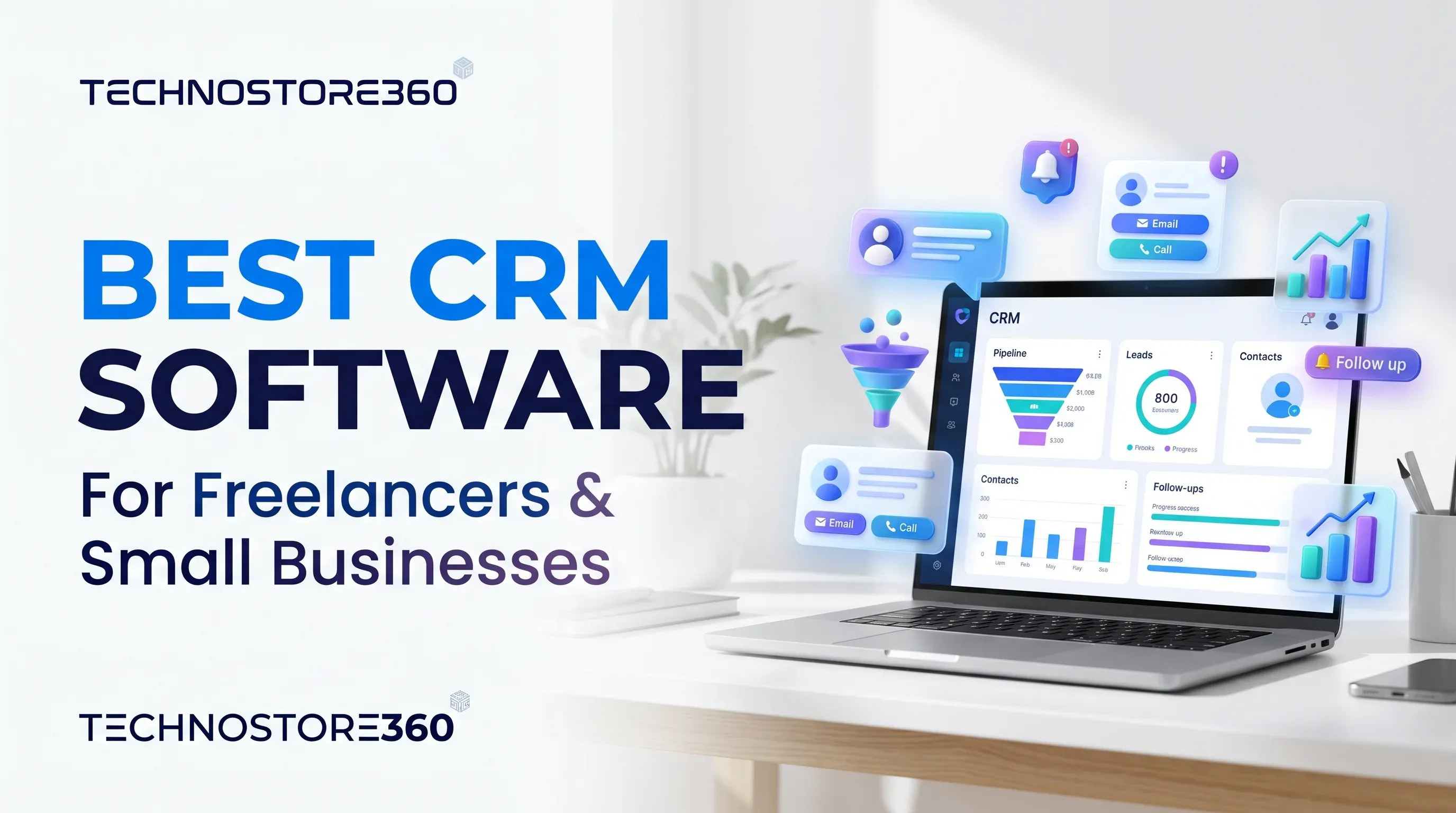
Best CRM Software for Freelancers and Small Businesses
Compare the best CRM software for freelancers and small businesses in 2026, including features, pricing, usability and benefits.
Jump to section
Looking for the best CRM software for freelancers and small businesses? Compare Zoho CRM, HubSpot, Bigin, Freshsales and Odoo to explore their features and find the right solution for managing customers, tracking leads and growing your business.
Best CRM Software for Freelancers and Small Businesses in 2026
Running a small business is not always easy. Between finding new customers, responding to enquiries, sending quotations and following up with potential clients, there is a lot to manage every day. For freelancers and small business owners, keeping track of every customer conversation can quickly become difficult.
Many businesses still depend on spreadsheets, emails and phone contacts to manage their customers. While these methods may work initially, they can become confusing as the business grows. Important follow-ups get missed, customer information becomes scattered, and potential sales opportunities sometimes slip away.
This is where Customer Relationship Management (CRM) software can make a real difference.
The best CRM software for freelancers and small businesses helps organise customer information, track sales opportunities, manage follow-ups and improve communication from one central platform. Instead of spending hours updating spreadsheets, businesses can focus more on building relationships and growing their sales.
But with so many CRM platforms available, choosing the right one can be challenging. Some are designed for simple contact management, while others offer advanced sales automation, marketing tools and business integrations.
In this guide, we explore five popular CRM solutions: Zoho CRM, HubSpot CRM, Pipedrive, Bitrix24 and Odoo CRM. We compare their features, benefits, limitations and pricing considerations to help you find the right solution for your business in 2026.
What Is CRM Software?
Customer Relationship Management (CRM) software is a tool that helps businesses manage their interactions with existing customers and potential clients.
It stores important customer information, including names, contact details, emails, previous conversations, enquiries and sales activities. This allows businesses to keep everything organised instead of searching through different applications.
For example, imagine you run a small digital marketing agency in the UAE. Every week, you receive enquiries from businesses interested in your services. Some request quotations, others want a meeting, and a few need follow-ups before making a decision.
Without a CRM, remembering every conversation can become difficult. With CRM software, you can record each enquiry, track its progress, schedule reminders and see which opportunities need attention.
In simple terms, CRM software helps you stay organised and maintain better relationships with your customers.
Why Do Freelancers and Small Businesses Need CRM Software?
You do not need a large sales team to benefit from CRM software. Even a freelancer managing ten regular clients can use it to organise customer information and avoid missing important opportunities.
Here are some of the main benefits.
1. Keep All Customer Information in One Place
Instead of saving customer details across spreadsheets, emails and phone contacts, a CRM keeps everything together. You can quickly access contact information, previous conversations and customer requirements whenever needed.
2. Manage Sales Leads More Effectively
Not every person who contacts your business becomes a customer immediately. Some need additional information, while others may take weeks to make a decision.
A CRM helps you track each potential customer and understand where they are in the sales process.
3. Never Miss Important Follow-Ups
Following up at the right time can make a big difference in sales. CRM tools allow you to schedule activities, create reminders and manage upcoming tasks so that important conversations do not get forgotten.
4. Improve Customer Relationships
When you have access to a customer's previous interactions and requirements, it becomes easier to provide relevant support. Customers do not have to repeat the same information every time they contact your business.
5. Save Time Through Automation
Many CRM platforms offer automation features for repetitive activities, such as assigning leads, sending notifications and creating follow-up tasks. This reduces manual work and gives you more time to focus on your business.
6. Understand Your Sales Performance
CRM reports help you monitor leads, sales opportunities and conversion rates. You can identify which activities are producing results and where your sales process needs improvement.
5 Best CRM Software for Freelancers and Small Businesses in 2026
There is no single CRM platform that works perfectly for every business. The right choice depends on your budget, team size, sales process and the features you actually need.
Let's look at five CRM solutions worth considering.
1. Zoho CRM – Best Overall CRM for Small Businesses
Zoho CRM is a popular choice for freelancers, startups and small businesses looking for a flexible platform to manage customer relationships and sales activities.
It helps businesses organise leads, manage contacts, track deals and monitor sales performance from one central dashboard.
One of its biggest advantages is its flexibility. Businesses can start with basic CRM features and gradually introduce more advanced automation, reporting and customisation as their requirements grow.
Zoho CRM also connects with other applications in the Zoho ecosystem, making it useful for businesses that want to bring different business activities together.
Key Features:
- Lead and contact management.
- Sales pipeline tracking.
- Workflow automation.
- Email integration.
- Sales forecasting and reporting.
- Customisable dashboards.
- Mobile CRM application.
- Integration with other Zoho applications.
Advantages:
- Offers a free edition for up to three users.
- Suitable for different business sizes.
- Provides useful sales automation tools.
- Supports customisation according to business requirements.
- Connects with other Zoho business applications.
Limitations:
- New users may need time to understand all the available features.
- Advanced automation and customisation may require higher subscription plans.
- Initial setup and employee training may be necessary.
Pricing:
Zoho CRM offers a free edition and several paid subscription plans, including Standard, Professional, Enterprise and Ultimate. Pricing depends on the selected edition, billing frequency and number of users.
Businesses in the UAE should check the official regional pricing and applicable VAT before purchasing.
Best For: Freelancers, consultants, startups and small businesses that need flexible customer management and sales automation.
Our Recommendation: Zoho CRM is a strong option for small businesses that want more control over their sales activities without immediately investing in a complicated enterprise system. It offers room to grow as your customer base expands.
2. HubSpot CRM – Best Free CRM for Startups
HubSpot CRM is well known for its easy-to-use interface and free entry-level CRM tools.
It helps businesses manage customer contacts, track sales opportunities and organise communication. For freelancers and startups that are just beginning to build their customer database, HubSpot can be a convenient starting point.
Another advantage is that HubSpot connects CRM activities with its wider marketing, sales and customer service tools.
This can be useful when a business wants to manage customer relationships and marketing activities through a connected platform.
Key Features:
- Contact and company management.
- Deal and sales pipeline tracking.
- Email tracking and templates.
- Meeting scheduling.
- Sales activity management.
- Reporting dashboards.
- Marketing and customer service integrations.
- Mobile application.
Advantages:
- Offers free CRM tools.
- Beginner-friendly interface.
- Useful contact management features.
- Helps organise sales activities.
- Provides additional tools as business requirements grow.
Limitations:
- Advanced features require paid subscriptions.
- Costs can increase when adding users and additional tools.
- Some automation and reporting capabilities are limited to higher plans.
Pricing:
HubSpot offers free CRM tools, along with paid Sales Hub subscriptions. The final cost depends on the selected plan, number of users and billing terms.
Check the official HubSpot pricing page for current subscription details.
Best For: Freelancers, startups and small businesses looking for an easy way to organise contacts and manage sales activities.
Our Recommendation: If you are new to CRM software and want something straightforward, HubSpot is worth exploring. However, consider the future cost of paid features before committing to the platform.
3. Pipedrive – Best CRM for Sales Pipeline Management
Pipedrive is designed mainly for businesses that want to organise and manage their sales process.
Its visual sales pipeline makes it easy to understand where each potential customer stands. You can see which leads are new, which opportunities need follow-ups and which deals are close to completion.
This makes Pipedrive particularly useful for consultants, freelancers, agencies and small sales teams.
Instead of trying to remember every sales conversation, users can manage opportunities through clearly defined stages.
Key Features:
- Visual sales pipeline.
- Lead and contact management.
- Deal tracking.
- Email synchronisation.
- Sales activity reminders.
- Workflow automation on eligible plans.
- Sales reports and analytics.
- Third-party application integrations.
Advantages:
- Easy-to-understand sales pipeline.
- Helps organise sales opportunities.
- Useful follow-up and activity management.
- Suitable for sales-focused businesses.
- Offers integrations with other applications.
Limitations:
- Advanced features may require higher subscription plans.
- Additional integrations and add-ons can increase costs.
- Businesses needing extensive marketing tools may require additional software.
Pricing:
Pipedrive offers different subscription plans, generally priced per user. It also provides a free trial for businesses that want to test the platform before purchasing.
Check the official pricing page for current regional prices and billing options.
Best For: Freelancers, consultants, agencies and small businesses that regularly manage sales enquiries and customer opportunities.
Our Recommendation: Pipedrive is a good choice if your main priority is managing leads and closing deals. Its visual pipeline makes it easier to understand what needs attention throughout the sales process.
4. Bitrix24 – Best CRM and Team Collaboration Platform
Bitrix24 combines CRM functionality with collaboration and productivity tools.
It allows businesses to manage customer information, sales opportunities, tasks and internal communication through one platform.
For small businesses with employees working across different responsibilities, this combination can be useful. Rather than switching between multiple applications, teams can manage several activities within the same environment.
Key Features:
- Contact and lead management.
- Deal tracking.
- Sales pipeline management.
- Task and project management.
- Team chat and video calls.
- Email integration.
- Workflow automation.
- Sales reporting.
Advantages:
- Combines CRM and collaboration features.
- Offers a free entry-level plan.
- Includes task and project management tools.
- Supports different business workflows.
- Can reduce the need for separate applications.
Limitations:
- The large number of features may feel overwhelming to beginners.
- The interface can take time to understand.
- Some advanced features require paid subscriptions.
Pricing:
Bitrix24 offers free and paid subscription options. Paid plans may use organisation-based pricing and include different user limits and features.
Check the official pricing page for current subscription details.
Best For: Small businesses that want customer management, internal communication and team collaboration in one platform.
Our Recommendation: Bitrix24 is worth considering if your team needs more than a traditional CRM. However, if you only need basic customer and lead management, a simpler platform may be easier to maintain.
5. Odoo CRM – Best for Businesses Planning to Expand into ERP
Odoo CRM is part of the wider Odoo business management ecosystem.
It helps businesses manage leads, customer information, sales opportunities and follow-up activities. What makes Odoo different is its ability to connect CRM with other business applications.
For example, a growing trading company may eventually need to manage sales, quotations, inventory, purchasing and accounting. Odoo allows businesses to connect these activities through its wider application ecosystem.
This makes it an interesting option for businesses planning to expand their operations.
Key Features:
- Lead and opportunity management.
- Sales pipeline tracking.
- Customer activity management.
- Sales automation.
- Reporting and analytics.
- Quotation management.
- Integration with inventory and accounting applications.
- Additional business management applications.
Advantages:
- Connects CRM with wider business operations.
- Offers a modular application structure.
- Supports business growth and expansion.
- Provides customisation options.
- Helps reduce disconnected business processes.
Limitations:
- Initial configuration may require planning.
- Advanced customisation can require technical expertise.
- Implementation costs depend on business requirements.
- Employees may need training to use the wider system effectively.
Pricing:
Odoo provides different subscription and deployment options. The final cost depends on the edition, number of users, selected applications and implementation requirements.
Businesses should request a UAE-specific quotation to understand the complete cost.
Best For: Growing businesses, distributors, trading companies and service providers that want to connect CRM with wider business operations.
Our Recommendation: Odoo CRM is worth considering when your business needs more than customer management. If you plan to connect sales, inventory and accounting in the future, it may provide a suitable foundation.
CRM Software Comparison: Which One Should You Choose?
Comparing CRM platforms side by side makes it easier to understand which solution matches your business requirements.
| CRM Software | Best For | Main Strength | Pricing Model |
|---|---|---|---|
| Zoho CRM | Small businesses and growing teams | Automation and customisation | Free and per-user paid plans |
| HubSpot CRM | Startups and freelancers | Ease of use | Free and paid plans |
| Pipedrive | Sales-focused teams | Visual sales pipeline | Per-user subscriptions |
| Bitrix24 | Collaborative small teams | CRM and team productivity | Free and organisation-based paid plans |
| Odoo CRM | Growing businesses | CRM and ERP integration | Edition and user-based options |
Note: Subscription prices and features can change. Always check the official vendor websites for current pricing, billing conditions and regional availability. UAE businesses should also account for applicable 5% VAT.
Which CRM Is Best for Different Business Types?
The best CRM for your business depends on how you interact with customers and manage sales opportunities.
Here are some recommendations based on common business requirements.
Best CRM for Freelancers
Freelancers usually work with a smaller number of customers and need a simple way to organise client information, project enquiries and follow-ups.
Recommended options:
- HubSpot CRM for free entry-level tools.
- Zoho CRM for additional sales management features.
- Pipedrive for tracking potential projects and deals.
Best CRM for Startups
Startups often need affordable software that can support their growing customer database without creating unnecessary complexity.
Recommended options:
- HubSpot CRM for getting started.
- Zoho CRM for flexibility and automation.
- Bitrix24 for combining CRM with team collaboration.
Best CRM for Small Businesses
Established small businesses may have multiple employees handling customer enquiries, sales activities and follow-ups.
They generally need better reporting, user management and workflow automation.
Recommended options:
- Zoho CRM for sales management and customisation.
- Bitrix24 for sales and internal collaboration.
- Odoo CRM for connecting customer management with wider business operations.
Best CRM for Consultants and Service Providers
Consultants and service providers depend on customer relationships, repeat business and referrals.
They need a system that helps them remember previous conversations, organise enquiries and maintain consistent communication.
Recommended options:
- Pipedrive for sales opportunity tracking.
- Zoho CRM for customer management and automation.
- HubSpot CRM for contact management and sales activities.
How to Choose the Right CRM Software for Your Business
Selecting CRM software should not be based only on the number of features available. A platform may offer dozens of tools, but that does not mean your business needs all of them.
Before making a decision, consider the following factors.
1. Understand Your Business Requirements
Start by identifying the problems you want the CRM to solve.
Do you regularly miss customer follow-ups? Is your customer information scattered across spreadsheets? Do you need a better way to track sales opportunities?
Understanding your actual requirements will help you avoid paying for unnecessary features.
2. Compare the Total Cost
CRM pricing can vary depending on the number of users, selected subscription and billing frequency.
Before purchasing, consider:
- Number of user licences required.
- Monthly and annual subscription costs.
- Additional feature charges.
- Integration expenses.
- Setup and implementation costs.
- Data migration and employee training.
- Applicable UAE VAT.
A free CRM may be enough for a freelancer, while a growing business may benefit from investing in a paid subscription.
3. Check Essential CRM Features
Most small businesses should start with a few essential features:
- Contact management.
- Lead tracking.
- Sales pipeline management.
- Follow-up reminders.
- Email integration.
- Basic reporting.
You can consider advanced automation and customisation when your business requirements become more complex.
4. Consider Software Integrations
Your CRM should work smoothly with the applications you already use.
For example, integration with email, calendars, accounting applications and communication tools can reduce repetitive data entry.
Businesses using Microsoft 365 or Google Workspace should check which integrations are available and whether additional subscriptions are required.
5. Review Security and Data Protection
CRM platforms store important customer and business information. Therefore, security should be part of your selection process.
Look for features such as:
- Multi-factor authentication.
- Role-based access permissions.
- Data backup and recovery.
- Audit logs.
- Data export options.
- Appropriate data processing and privacy controls.
Businesses operating in the UAE should also consider applicable personal data protection requirements and review how their chosen CRM handles customer information.
6. Choose a Platform That Can Grow With You
Your business requirements may change over time. You might start with one or two users and later introduce additional employees, sales pipelines and automation workflows.
Choose a CRM that allows you to expand without making the transition unnecessarily complicated.
7. Test the Software Before Purchasing
Whenever possible, use a free plan, trial subscription or product demonstration.
Try adding customer records, creating sales opportunities, scheduling reminders and generating reports.
This will help you understand whether the software is suitable for your everyday business activities.
Common CRM Implementation Mistakes to Avoid
Choosing the right CRM is important, but using it correctly is equally essential.
Here are some common mistakes small businesses should avoid.
Choosing Software Only Because It Is Cheap
A low subscription price may look attractive, but the platform might not include the features your business needs. Consider the total cost and long-term value before making a decision.
Importing Unorganised Customer Data
Moving duplicate or incomplete customer records into a new CRM can create problems. Clean your existing data before migration.
Using Too Many Features at Once
Start with basic contact management, lead tracking and follow-up activities. Introduce additional features gradually as your team becomes comfortable with the platform.
Ignoring Employee Training
Employees need to understand how to enter customer details, update sales opportunities and manage follow-ups. Without proper training, even a powerful CRM may not deliver the expected value.
Not Reviewing Business Performance
A CRM should help improve your customer management process. Regularly review lead response times, sales opportunities, follow-up activities and conversion rates to understand whether the system is meeting your expectations.
How TechnoStore360 Can Help You Choose the Right CRM
Choosing CRM software involves more than comparing subscription prices. Businesses also need to consider licence requirements, user access, integrations, configuration and long-term requirements.
TechnoStore360 offers business software solutions, including Zoho CRM, to help businesses explore suitable customer management tools.
As an authorised Zoho Cloud Partner, TechnoStore360 can help customers explore relevant Zoho licensing options based on their requirements. Businesses evaluating Zoho CRM should first identify their number of users, required features and existing sales processes.
For a freelancer or small business, the goal should be to select a solution that makes customer management easier without introducing unnecessary complexity.
If you are considering Zoho CRM, explore the available Zoho CRM solutions from TechnoStore360 to review the relevant subscription options.
You can also explore our business software solutions to learn more about the applications available for different business requirements.
Frequently Asked Questions
Clear answers to common questions about this guide and implementation.
Zoho CRM, HubSpot CRM and Pipedrive are among the options worth considering. Zoho CRM offers flexible sales management features, HubSpot provides free entry-level CRM tools, and Pipedrive focuses on sales pipeline management. The right choice depends on your budget, business size and customer management requirements.
About the author
Nihala Nizar
Blog Creator
blog writer who transforms ideas and experiences into engaging, meaningful stories. Dedicated to creating well-written content that informs, inspires, and connects with readers
Related Articles
More in CRM Software
Microsoft 365 Plans Explained: Which Plan Should You Buy?
Wednesday Nov 11, 2026
Not sure which Microsoft 365 plan your business needs? Compare Business Basic, Standard and Premium, including features, security, cloud storage and pricing, to find the right subscription for your team.
Microsoft 365 vs Google Workspace: Which Is Better for Your Needs?
Tuesday Nov 10, 2026
Microsoft 365 vs Google Workspace: Compare pricing, features, email, cloud storage, applications and collaboration tools. Discover which productivity subscription is right for your needs before you buy.
Microsoft 365 CSP vs. Direct Microsoft Billing: How Buying via an Authorized Partner Saves Costs in the GCC
Friday Nov 6, 2026
Compare Microsoft 365 CSP billing with direct Microsoft web-direct purchases. Discover how GCC enterprises save on FX fees, reclaim local VAT, unlock NCE seat flexibility, and receive localized Tier-1 support through an authorized partner.


