ZKTeco Biometric Devices Compared: Which Model Fits Your Business Needs?
Compare ZKTeco devices for employee attendance, fingerprint and facial recognition, and workplace access control
Jump to section
Explore the best ZKTeco biometric devices for businesses in 2026. Compare fingerprint and facial recognition, attendance tracking, access control and key features to find the right model for your workplace.
ZKTeco Biometric Devices Compared: Which Model Fits Your Requirements?
Choosing the right biometric device is becoming increasingly important for businesses that want to improve employee attendance management and workplace security. Whether you manage a small office, a growing company or a large commercial facility, having a reliable system to identify employees and control access can make everyday operations much easier.
Traditional attendance registers and access cards may work for smaller teams, but they can become difficult to manage as an organisation grows. Employees may forget to record their attendance, access cards can be shared, and HR teams may spend unnecessary time correcting attendance records.
This is where ZKTeco biometric devices can help.
ZKTeco offers a range of fingerprint and facial recognition devices designed for employee attendance tracking and access control. However, not every model offers the same features. Some are better suited to basic attendance management, while others provide advanced facial recognition, multiple authentication methods and door access management.
So, which ZKTeco device should you choose?
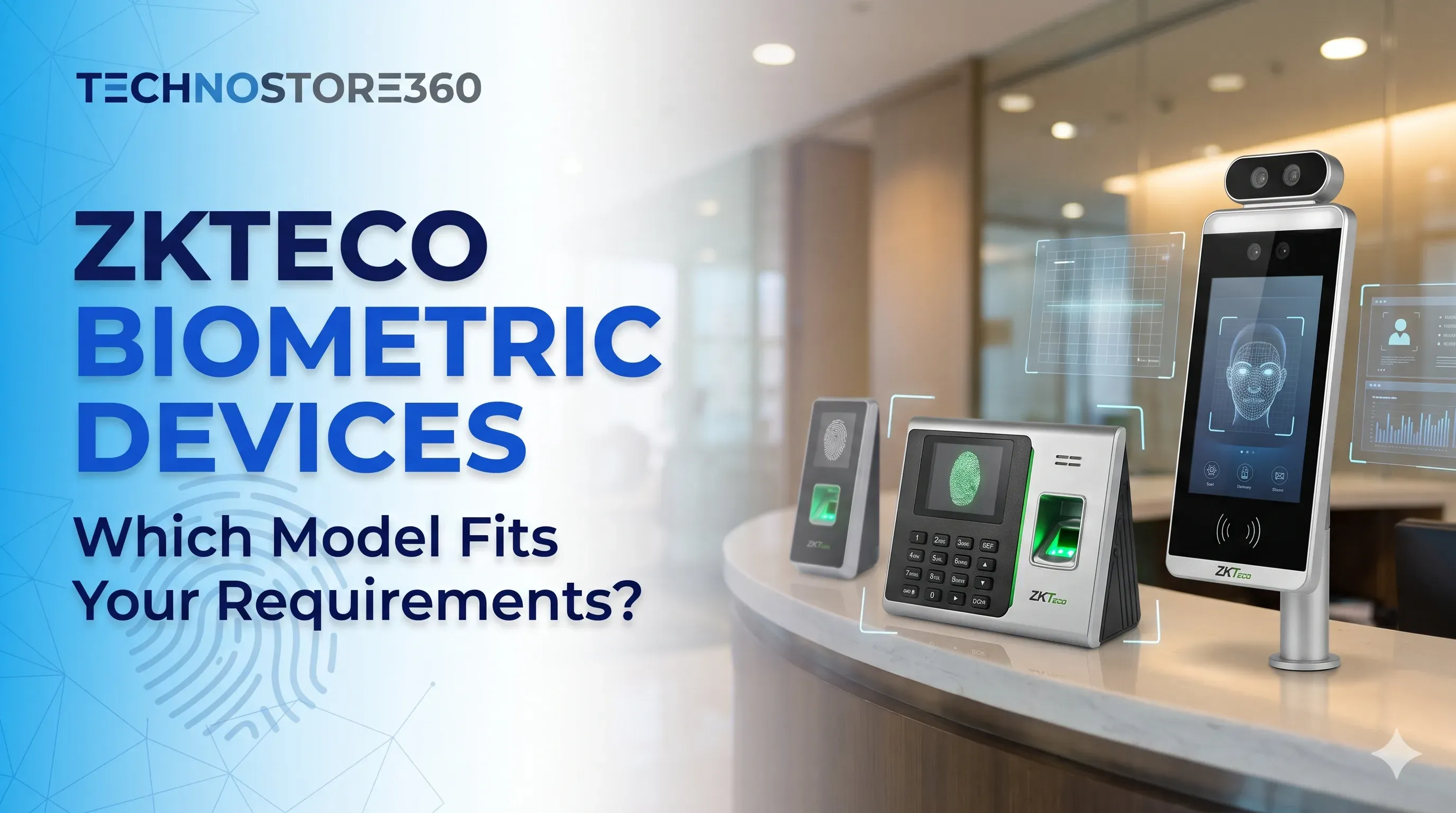
In this guide, we compare eight popular ZKTeco models: F22, SpeedFace-V5L, K40 Pro, K45 Pro, MiniAC, uFace 402, MB360 and MiniAC Plus. We will explore their features, benefits, limitations and practical applications to help you find the right solution for your workplace.
What Are ZKTeco Biometric Devices?
ZKTeco biometric devices are electronic identification systems that use unique physical characteristics to verify a person's identity.
Depending on the model, these devices can use:
- Fingerprint recognition: Identifies employees using their fingerprint patterns.
- Facial recognition: Verifies individuals using facial features.
- RFID cards: Allows employees to authenticate using compatible access cards.
- Password verification: Provides an additional authentication option on supported devices.
Businesses mainly use these devices for two purposes: employee attendance management and access control.
For attendance management, the device records employee check-in and check-out activities. For access control, it verifies whether someone is authorised to enter a particular area.
Some ZKTeco models combine both functions, making them useful for businesses that want to manage attendance and workplace entry through a single system.
Why Do Businesses Need a ZKTeco Biometric Attendance System?
Managing employee attendance manually can take more time than expected. As the workforce grows, maintaining accurate records and monitoring employee movements becomes increasingly challenging.
A biometric attendance system can simplify these processes.
1. Accurate Employee Attendance Tracking
Employees can verify their identity using fingerprints or facial recognition instead of signing paper registers.
This helps HR teams maintain electronic attendance records and reduces the administrative effort involved in manual tracking.
2. Reduced Proxy Attendance
Traditional attendance registers and shared access cards may allow employees to record attendance on behalf of others.
Biometric verification helps reduce this problem by checking an individual's identity before recording an attendance event.
3. Improved Workplace Security
Selected ZKTeco devices support access-control functions that allow businesses to manage entry into offices, departments and restricted areas.
This is particularly useful for workplaces where not every employee should have access to every location.
4. Convenient Employee Verification
Modern facial recognition devices allow employees to verify their identity without touching a fingerprint sensor.
This can be helpful in busy workplaces where employees arrive at similar times.
5. Easier Attendance Management
Compatible ZKTeco devices can connect to attendance management software, helping administrators retrieve records, monitor working hours and prepare attendance reports.
6. Flexible Solutions for Different Business Sizes
Small offices may only need a basic fingerprint attendance machine. Larger organisations may require facial recognition, higher employee capacity and advanced access-control features.
Having different models available makes it easier to select a device based on actual business requirements.
Best ZKTeco Biometric Devices Compared
Let's look at the eight ZKTeco models and understand what makes each one suitable for different workplace requirements.
1. ZKTeco K40 Pro – A Practical Choice for Basic Attendance
The ZKTeco K40 Pro is worth considering if your business needs a straightforward fingerprint-based attendance solution.
It is designed for organisations that want to move away from manual attendance registers without investing in an unnecessarily complicated system.
The device features fingerprint verification, a colour display, network connectivity and USB data transfer. It also provides basic access-control interfaces and battery backup.
For small businesses that primarily need to record employee attendance, these features can be sufficient.
Main Features
- Fingerprint authentication.
- 2.8-inch TFT colour display.
- TCP/IP communication.
- USB Host connectivity.
- Integrated battery backup.
- Basic access-control interfaces.
- Attendance record management.
- Multi-language support.
Benefits
The K40 Pro offers a relatively simple way to manage employee attendance. Its fingerprint-based verification helps businesses maintain electronic records, while network connectivity makes data management more convenient.
Battery backup is another useful feature, particularly in workplaces where temporary power interruptions can occur.
Limitations
The K40 Pro does not provide built-in facial recognition. Businesses that require touchless employee verification or more advanced access-control functionality should consider other models.
Best For: Small offices, retail shops, startups and businesses looking for basic fingerprint attendance management.
Our Recommendation: Choose the K40 Pro if your main requirement is reliable fingerprint attendance tracking. There is little reason to pay extra for advanced facial recognition if your workplace does not need it.
2. ZKTeco K45 Pro – Suitable for Fingerprint and Card Authentication
The ZKTeco K45 Pro is another practical option for businesses that want a simple employee attendance solution.
Unlike fingerprint-only systems, it supports card-based authentication as well, giving employees an additional verification method.
Its display, TCP/IP communication and USB connectivity make it suitable for everyday attendance management.
Main Features
- Fingerprint authentication.
- Card verification.
- 2.4-inch TFT display.
- TCP/IP communication.
- USB Host connectivity.
- Integrated battery backup.
- Basic access-control support.
- Attendance record management.
Benefits
The K45 Pro is useful for businesses that want employees to have more than one authentication option.
It provides a straightforward interface and supports convenient attendance data transfer.
Limitations
It does not offer built-in facial recognition. Organisations requiring advanced biometric security or touchless attendance may need a more advanced device.
Best For: Small and medium-sized offices that prefer fingerprint and card-based authentication.
Our Recommendation: Consider the K45 Pro if you want a straightforward attendance system with additional card verification. It is particularly useful when fingerprint authentication alone does not meet your workplace preferences.
3. ZKTeco F22 – Designed for Fingerprint Access Control
The ZKTeco F22 is a fingerprint-based access-control terminal designed for workplaces that need to manage entry into specific areas.
While basic attendance devices primarily focus on employee working hours, the F22 is more suitable for controlling access to office doors and restricted spaces.
It supports fingerprint authentication and compatible card verification, along with communication interfaces for integration with other access-control equipment.
Main Features
- Fingerprint authentication.
- 2.4-inch TFT colour display.
- TCP/IP and RS485 communication.
- USB Host connectivity.
- Wiegand input and output.
- Support for compatible electric locks.
- Door sensor and exit-button connections.
- Anti-passback functionality on supported configurations.
Benefits
The F22 is a useful option for businesses that want to introduce fingerprint-based door access.
It can work with compatible security equipment and supports different installation requirements.
Its compact design also makes it suitable for office entrance installations.
Limitations
The F22 does not include built-in facial recognition. Additional equipment may be required depending on the access-control installation.
Best For: Offices, commercial premises and organisations that prioritise fingerprint-based door access.
Our Recommendation: If controlling who enters a particular office or restricted area is your main priority, the F22 is worth considering.
4. ZKTeco MB360 – Best for Combined Face and Fingerprint Recognition
The ZKTeco MB360 is a multi-biometric attendance terminal that supports facial and fingerprint recognition.
This combination gives businesses greater flexibility when verifying employees. It can be particularly useful when some employees prefer fingerprint authentication while others prefer facial verification.
Selected configurations also support card authentication.
Main Features
- Facial recognition.
- Fingerprint authentication.
- Optional card support.
- Attendance record management.
- TCP/IP communication.
- USB Host connectivity.
- Optional Wi-Fi, depending on configuration.
- Access-control functionality.
Benefits
The biggest advantage of the MB360 is its combination of facial and fingerprint verification.
Businesses do not have to depend on only one biometric method. The device is also suitable for organisations that want to introduce facial recognition without immediately moving to a more advanced access-control terminal.
Limitations
Its capacity may not be sufficient for every large organisation. Optional connectivity and card features should also be checked before purchasing.
Best For: Small and medium-sized businesses that want both fingerprint and facial recognition.
Our Recommendation: The MB360 is a practical middle-ground option for businesses that want more flexibility than a traditional fingerprint attendance machine.
5. ZKTeco uFace 402 – A Flexible Multi-Biometric Solution
The ZKTeco uFace 402 is designed for organisations that require multiple employee verification methods.
It combines facial recognition and fingerprint authentication, with optional card functionality depending on the configuration.
Its larger touchscreen interface also makes daily interaction easier for employees and administrators.
Main Features
- Facial recognition.
- Fingerprint authentication.
- Optional RFID card support.
- 4.3-inch touchscreen.
- Attendance record management.
- TCP/IP communication.
- USB Host connectivity.
- Optional Wi-Fi and backup battery.
Benefits
The uFace 402 provides more flexibility than basic fingerprint-only terminals.
It is suitable for businesses with growing employee databases that want to support different authentication methods.
Its larger display is another useful feature for everyday operation.
Limitations
Some functions depend on the device configuration and optional modules. Smaller businesses may not need all the available features.
Best For: Medium-sized offices and organisations that need combined face and fingerprint attendance.
Our Recommendation: Consider the uFace 402 if your business needs multiple verification methods and expects its attendance requirements to grow.
6. ZKTeco MiniAC – Best for Touchless Facial Access Control
The ZKTeco MiniAC is a facial recognition access-control terminal designed for organisations that prefer touchless identity verification.
Employees can verify their identity using facial recognition rather than physically touching a fingerprint sensor.
The device also supports card and password authentication on compatible configurations.
One of its notable features is its IP65-rated enclosure, making it suitable for certain installations where protection against dust and water ingress is important.
Main Features
- Visible-light facial recognition.
- Face, card and password authentication.
- 4.3-inch touchscreen.
- TCP/IP communication.
- Optional Wi-Fi.
- Wiegand and RS485 interfaces.
- IP65-rated enclosure.
- Compatible electric-lock connections.
- Door sensor and exit-button interfaces.
- Video intercom compatibility on supported configurations.
Benefits
The MiniAC is particularly useful for businesses that want a modern touchless access-control experience.
Its different authentication methods provide flexibility, while the available integration options make it suitable for selected office security installations.
Limitations
The MiniAC is more focused on access control than basic employee attendance.
Businesses should also check installation requirements and compatibility with their existing door equipment.
Best For: Offices, commercial buildings and workplaces that want facial recognition for controlled entry.
Our Recommendation: If touchless door access is more important than traditional fingerprint attendance, the MiniAC is worth adding to your shortlist.
7. ZKTeco MiniAC Plus – Facial Recognition for Attendance and Access Control
The ZKTeco MiniAC Plus is designed for businesses that want to combine facial recognition, attendance management and access control.
It offers a larger touchscreen interface and multiple authentication options.
This makes it useful for workplaces that prefer touchless verification but still need to manage employee entry and attendance activities.
Main Features
- Visible-light facial recognition.
- Face, card and password authentication.
- 5-inch touchscreen.
- Camera-based facial verification.
- TCP/IP communication.
- Optional Wi-Fi.
- Wiegand input and output.
- Compatible electric-lock connections.
- Door sensor and exit-button interfaces.
- Access-control functions on supported configurations.
Benefits
The MiniAC Plus is a suitable option for organisations looking for a facial recognition terminal with attendance and access-control capabilities.
Its larger screen makes interaction more convenient, while multiple verification methods provide additional flexibility.
Limitations
It does not provide standard fingerprint authentication. Businesses that specifically require both face and fingerprint recognition should consider the MB360 or uFace 402 instead.
Best For: Offices and businesses that want touchless facial authentication for attendance and access management.
Our Recommendation: Choose the MiniAC Plus if facial recognition is your preferred authentication method and you want a device that supports more than basic employee check-in.
8. ZKTeco SpeedFace-V5L – Best for Advanced Biometric Access Control
The ZKTeco SpeedFace-V5L is an advanced biometric terminal designed for organisations that require multiple verification options and more comprehensive access-control functionality.
It uses visible-light facial recognition and supports additional authentication methods depending on the exact version.
Selected configurations support fingerprint, card and password verification, while certain variants offer optional palm recognition.
The device also includes anti-spoofing technology designed to help identify attempts using photographs, videos and other presentation attacks.
Main Features
- Visible-light facial recognition.
- Fingerprint authentication on supported versions.
- Card and password verification.
- Optional palm recognition on supported configurations.
- Anti-spoofing technology.
- 5-inch touchscreen.
- TCP/IP communication.
- Optional Wi-Fi.
- Wiegand input and output.
- Access-control interfaces.
- Support for compatible electric locks and door sensors.
Benefits
The SpeedFace-V5L is suitable for organisations that require more than basic attendance recording.
Its multiple authentication options provide flexibility, while advanced facial recognition and anti-spoofing functionality support more demanding security requirements.
It is particularly useful for businesses that want to manage attendance and restricted entry through compatible systems.
Limitations
The SpeedFace-V5L may cost more than entry-level attendance terminals.
Some features depend on the specific model version, firmware and optional modules. Installation and configuration may also require additional planning.
Best For: Medium and large businesses, corporate offices and facilities with advanced biometric access-control requirements.
Our Recommendation: If your organisation prioritises advanced facial recognition and controlled access, the SpeedFace-V5L deserves serious consideration. For a small office that only needs attendance records, a simpler model may offer better value.
How to Choose the Right ZKTeco Device for Your Business
After comparing the models, you may still be wondering which one is the right choice.
The easiest way to decide is to start with your workplace requirements rather than choosing the device with the longest feature list.
For Small Offices and Startups
If your business has a small workforce and needs straightforward attendance management, consider the K40 Pro or K45 Pro.
Both are practical options when fingerprint or card authentication is sufficient.
For Growing Businesses
Businesses with increasing employee numbers may benefit from additional biometric verification options.
The MB360 and uFace 402 are worth considering because they support both facial and fingerprint recognition.
For Touchless Attendance and Entry
If your employees prefer contactless verification, facial recognition devices may be more suitable.
The MiniAC and MiniAC Plus are worth considering, depending on whether your main priority is door access or a combination of attendance and access management.
For Advanced Security Requirements
Organisations with restricted areas and more demanding access-control requirements should consider the F22 or SpeedFace-V5L.
The F22 is useful for fingerprint-based access control, while SpeedFace-V5L offers more advanced multi-biometric functionality on supported versions.
For Multiple Doors and Access Points
If your workplace has multiple entrances, restricted departments or several floors, think beyond the biometric terminal itself.
You may also need compatible access-control panels, electronic locks, exit buttons, door sensors and centralised management software.
Planning the complete system before purchasing can help avoid unnecessary installation costs and compatibility issues.
Fingerprint vs Facial Recognition: Which Is Better?
Fingerprint and facial recognition are two commonly used biometric authentication methods.
Both can help businesses improve employee verification, but each has different advantages.
Fingerprint Recognition
Fingerprint devices identify employees using their unique fingerprint patterns.
They are commonly used in small and medium-sized workplaces where employees can easily interact with a physical sensor.
Advantages:
- Straightforward verification.
- Suitable for traditional attendance management.
- Available on several entry-level devices.
- Familiar and easy for many employees to use.
Limitations:
- Requires physical contact.
- Wet, dirty or worn fingerprints may affect recognition.
- Some employees may experience difficulty with fingerprint enrolment.
Facial Recognition
Facial recognition verifies individuals using facial features captured by a camera.
It is useful for businesses that prefer touchless employee verification.
Advantages:
- Contactless authentication.
- Convenient for busy workplace entrances.
- Useful for modern office environments.
- Available with additional security features on selected models.
Limitations:
- Performance can depend on lighting and installation conditions.
- Proper facial enrolment is important.
- Different devices offer different recognition capabilities.
- Businesses must consider employee privacy and biometric data protection.
Which Technology Should You Choose?
If your business needs an affordable and straightforward attendance system, fingerprint recognition may be sufficient.
If contactless authentication is a priority, facial recognition is worth considering.
If you want flexibility, a combined face and fingerprint device such as the MB360 or uFace 402 may be a better option.
Important Things to Check Before Buying a ZKTeco Device
Before purchasing a biometric device, make sure its specifications match your actual workplace requirements.
1. Employee Capacity
Check how many users and biometric templates the device supports.
Do not look only at the total user capacity. Consider fingerprint templates, face templates and card capacity separately.
It is also sensible to allow room for future employee growth.
2. Attendance Record Storage
A biometric terminal stores attendance and access events.
Check how many transaction records it can retain and how frequently your business will retrieve them.
This is particularly important for organisations with large workforces and frequent employee movements.
3. Connectivity Options
Different ZKTeco devices support different connectivity methods.
Common options include:
- TCP/IP for network communication.
- USB Host for manual data transfer.
- Wi-Fi on selected models.
- RS485 for compatible communication equipment.
- Wiegand for supported access-control integration.
Choose a model that works with your existing network and infrastructure.
4. Software Compatibility
The device should work with the attendance or access-control software your business plans to use.
ZKTeco offers software solutions such as BioTime and other ZKBio platforms for compatible devices.
These solutions can support employee management, attendance reporting and access-control workflows.
However, compatibility differs between models and software versions. Always confirm support for the exact device before purchasing.
5. Door Access Requirements
If you intend to use the device to control office entry, check whether it supports the necessary equipment.
Depending on the installation, this may include electronic locks, door sensors, exit buttons, alarms and compatible controllers.
A biometric terminal alone may not provide everything needed for a complete security installation.
6. Installation Environment
Consider where the device will be installed.
An indoor reception area has different requirements from an outdoor entrance or industrial facility.
Check the manufacturer's environmental specifications and IP rating.
For example, the MiniAC has an IP65-rated enclosure. Do not assume the same protection applies to every ZKTeco model.
7. Employee Privacy and Data Security
Fingerprint and facial information should be handled responsibly.
Businesses should establish clear procedures for biometric enrolment, data storage, access permissions, retention and deletion.
Before implementing a biometric attendance system in the UAE, review applicable privacy and employment requirements and ensure that employees are informed about how their information will be used.
How Much Does a ZKTeco Biometric Device Cost in the UAE?
The price of a ZKTeco biometric device depends on the model, authentication technology, employee capacity, connectivity and included accessories.
Basic fingerprint attendance machines generally have fewer features than advanced facial recognition and multi-biometric terminals.
The overall investment may also include:
- Biometric attendance devices.
- RFID cards and additional readers.
- Electric locks and door accessories.
- Network cabling.
- Installation and configuration.
- Attendance management software.
- Employee enrolment.
- Maintenance and technical support.
Rather than choosing a device based only on its initial price, consider the complete cost of operating the system.
TechnoStore360 offers a range of ZKTeco biometric devices with quotation-based purchasing options. Request a current UAE quotation to confirm the available model, configuration and final AED price.
Also confirm whether the quotation includes installation, accessories and the applicable 5% UAE VAT.
The best purchase is not necessarily the most expensive device. It is the one that meets your requirements without unnecessary additional costs.
Why Consider TechnoStore360 for ZKTeco Biometric Devices?
Selecting a biometric terminal is only one part of improving workplace attendance and security.
Businesses also need to consider device compatibility, installation requirements, connectivity and attendance management software.
TechnoStore360 lists several ZKTeco biometric devices, including the K40 Pro, K45 Pro, F22, MB360, uFace 402, MiniAC, MiniAC Plus and SpeedFace-V5L.
Before selecting a model, it is helpful to understand:
- How many employees will use the system?
- Do you need fingerprint or facial recognition?
- Is the device required for attendance, access control or both?
- How many doors need to be controlled?
- Do you require software integration?
- What is your expected budget?
- Will the system need to support future expansion?
Having these details ready makes it easier to identify the right product and avoid paying for features your business does not need.
Explore the available ZKTeco biometric devices at TechnoStore360 and request a quotation based on your workplace requirements.
Frequently Asked Questions
Clear answers to common questions about this guide and implementation.
The K40 Pro and K45 Pro are worth considering for small businesses that primarily need fingerprint-based attendance tracking. If you want facial and fingerprint recognition together, the MB360 is another option.
About the author
Nihala Nizar
Blog Creator
blog writer who transforms ideas and experiences into engaging, meaningful stories. Dedicated to creating well-written content that informs, inspires, and connects with readers
Related Articles
More in Biometric Devices
Best CRM Software for Freelancers and Small Businesses
Thursday Nov 12, 2026
Looking for the best CRM software for freelancers and small businesses? Compare Zoho CRM, HubSpot, Bigin, Freshsales and Odoo to explore their features and find the right solution for managing customers, tracking leads and growing your business.
Microsoft 365 Plans Explained: Which Plan Should You Buy?
Wednesday Nov 11, 2026
Not sure which Microsoft 365 plan your business needs? Compare Business Basic, Standard and Premium, including features, security, cloud storage and pricing, to find the right subscription for your team.
Microsoft 365 vs Google Workspace: Which Is Better for Your Needs?
Tuesday Nov 10, 2026
Microsoft 365 vs Google Workspace: Compare pricing, features, email, cloud storage, applications and collaboration tools. Discover which productivity subscription is right for your needs before you buy.


